Realz Casino App Australia: Mobile Browser & Home-Screen Access
 Available in AU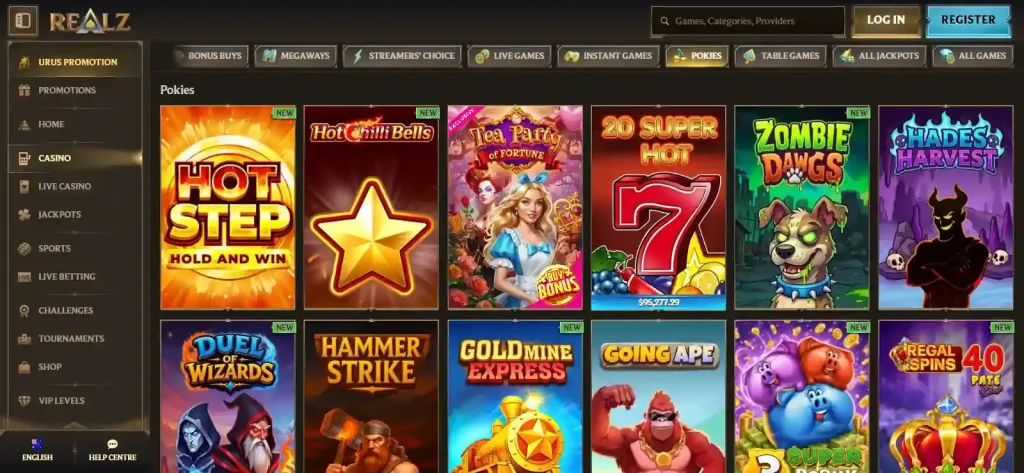
Realz provides mobile access through its website and official instructions for adding the site to an Android or iPhone home screen. That is different from a native Realz app in Apple’s App Store or Google Play; the available Realz information does not identify an official native-store listing. The official website and its shortcut instructions are the documented mobile route. For wider context, see the Realz Casino Australia review.
Table of Contents
- Browser, home-screen shortcut and native app are three different things
- How the official Android shortcut flow works
- How Realz explains home-screen access on iPhone
- A safe verification checklist before installing anything
- What the current mobile-facing site shows
- Mobile access does not create separate payment rules
- What a home-screen shortcut changes – and what it does not
- Where to check if the mobile route changes
- Official Realz mobile-access references
- What mobile play at Realz looks like on iPhone and Android
Browser, home-screen shortcut and native app are three different things
Mobile casino pages often blur these terms, but they describe different software and distribution routes. Realz documents the first two routes. Its current AU site is accessible in a mobile browser, and the official Create Shortcut page explains how Android and iOS users can add a shortcut to the home screen. A native store app would require a separate official listing tied to the operator or brand; the available Realz information does not identify one.
| Access type | What it means | Realz access status |
|---|---|---|
| Mobile browser | Open the official website in Safari, Chrome or another browser and use the site directly. | Documented as the practical web route. |
| Home-screen shortcut | Add a launch icon that opens the Realz site from the phone home screen. | Documented by Realz instructions for Android and iOS. |
| Native app | A separate application installed from an official app marketplace or another operator-controlled distribution channel. | No official Realz App Store or Google Play listing is identified in the available Realz information. |
The distinction matters because a shortcut can look app-like after it is placed on the home screen, but the icon does not prove that a separate native application has been installed. It remains a route into the web experience unless the operating system and an official store listing clearly show otherwise.
How the official Android shortcut flow works
Realz’s current shortcut page gives Android users a direct site-install option first. If that does not work, the page tells users to open the browser menu, find “Add to Home screen”, choose a name for the shortcut and let the browser add it. That instruction supports a website shortcut process, not a claim that an APK must be downloaded.
If an Android browser shows an install-style prompt, read what the browser itself says before accepting it. Modern websites can offer home-screen or app-like installation behaviour without using an APK from a third-party download site. The important safety check is origin: start from the official Realz domain, not from a mirror that promises a “Realz APK” without operator verification.
How Realz explains home-screen access on iPhone
For iOS, Realz instructs users to open the share menu, find “Add to Home Screen”, then choose a name before adding the shortcut. Again, the documented route is a browser shortcut. The current page does not establish a separate Realz Casino app published by the operator in Apple’s App Store.
Both shortcut routes start from the Realz website and create an icon that points back to the web service. They do not create a second Realz account, a separate wallet or a different set of casino terms; the shortcut changes how the site is launched on the device.
That difference is easy to miss when a home-screen icon launches into a full-screen-looking website. If you later encounter an App Store result using the word Realz, verify the seller, developer website and destination before treating it as the casino’s official software. A similar name, an in-app purchase label or casino-themed wording is not enough to establish brand ownership.
A safe verification checklist before installing anything
- Start on the official Realz domain. Use the site’s own navigation and Create Shortcut instructions rather than a search result for an APK mirror.
- Identify the distribution method. A browser shortcut, a progressive web experience and a native store app should not be treated as interchangeable.
- Check the publisher. If a future App Store or Google Play listing appears, confirm that the developer identity and linked website connect back to Realz or the operator named by Realz.
- Read permissions before accepting them. A simple home-screen shortcut should not require a random installer from an unknown source.
- Avoid unofficial APKs, third-party app stores and download mirrors unless Realz itself links to them from its official domain.
What the current mobile-facing site shows
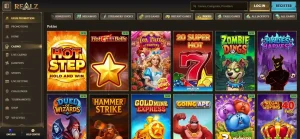
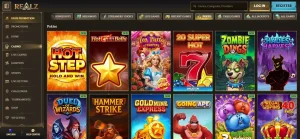
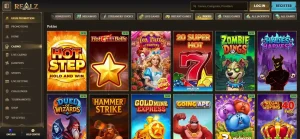
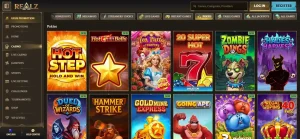
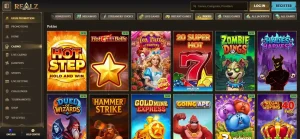
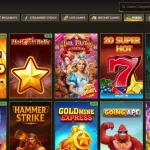
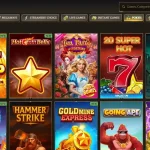
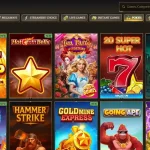
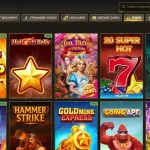
The current Realz AU interface exposes casino, live casino and sports navigation, plus a large game catalogue and account controls. The useful mobile conclusion is therefore not a benchmark such as “fastest” or “best battery use”. Those claims would need controlled testing across devices and networks. The website is the central documented access point, and Realz provides home-screen instructions for both major phone platforms.
For content discovery, the Realz games page explains how the current lobby is organised. On a phone, category navigation and search are more relevant than a claim about one permanent game count because the catalogue changes over time. The same principle applies to live tables and promotional inventory: mobile access does not freeze dynamic content.
Mobile access does not create separate payment rules
Opening the site from a home-screen icon does not create a different account or separate cashier. Account-level rules still come from the current Realz terms and the payment options actually shown to the user. The payment methods guide covers published withdrawal and account-funding rules without treating a logo on a mobile screen as proof that a method is available for a particular account.
This is especially important when a mobile wallet, bank option or card method depends on account, location or payment-provider conditions. A safe approach is to inspect the live cashier while signed in and use the method-specific information presented there rather than relying on an older description or image.
What a home-screen shortcut changes – and what it does not
A shortcut mainly changes how you launch the site. Instead of opening a browser, typing or selecting the Realz address and then navigating to the page you want, you can start from an icon on the home screen. That can reduce friction, but it does not create a separate player balance, a second set of promotions or a different version of the Terms. Your account status still comes from the same Realz service.
A home-screen shortcut does not establish offline support, push notifications or other native-app integrations. Casino games, account pages, payments and live content normally depend on an active connection, so extra capabilities should be judged only when they are visible on the device or documented by Realz.
Where to check if the mobile route changes
Realz currently lists live chat and [email protected] as support routes. Those channels are more appropriate for confirming a new operator-controlled app or a changed installation flow than an unofficial download page. If Realz later launches a native application, an official brand page linking to the store listing would be a stronger indicator than a search result with a similar name.
The same verification habit applies to registration. A shortcut can make access convenient, but it does not prove which countries are selectable in a live sign-up form or whether an account can be opened from a particular location. See the registration guide for those account questions.
The official support routes can also help distinguish a genuine operator-controlled mobile product from a similarly named download. A store listing is stronger when its developer identity, linked website and destination connect back to the official Realz domain rather than to an unrelated publisher or download mirror.
Official Realz mobile-access references
- Realz Create Shortcut – current Android and iOS home-screen instructions.
- Realz AU homepage – current website navigation, support link and mobile-facing brand route.
A home-screen icon or a similarly named app-marketplace result does not by itself establish an official native Realz app.
What mobile play at Realz looks like on iPhone and Android
The official shortcut instructions describe the same browser-based route for both Android and iOS rather than pointing readers to an unofficial download. For account-specific mobile questions, Realz lists live chat and [email protected].
The documented mobile path is straightforward: use the Realz website in a phone browser and follow the official Android or iOS instructions to add it to the home screen for quicker access. That creates an app-like entry point without establishing a separate native casino application. Use only mobile software linked from the official Realz domain or an official store listing tied to Realz or its named operator.